jv16 PowerTools 9 Return to the main websiteMain website

The biggest release in twenty‑five years arrives this fall.

Version 9 isn’t a refresh: it’s a fundamental rebuild with new tools, new features, and a new level of performance.

The lifetime license is $49 until 1 November. After that, it’s $69. Buy now, and version 9 is yours for free when it launches, along with every version after it. Buy now for $49 Notify me at launch One-time payment. Lifetime license. No subscription.
All existing lifetime licenses are honored.

Screenshot of jv16 PowerTools 9 running in Dark Mode.

The Main Tools

jv16 PowerTools 9 comes with five main tools for making your life with Windows a lot easier.

Dashboard

Instantly see how your Windows PC is doing with live processor and memory usage, how your disks are being utilized and so on.

You can easily see which applications are using your resources, what is automatically starting with Windows and explore your system storage usage.

The Dashboard gives you a great starting point for deciding what needs attention, including tips on what you should do to keep your system running optimally and error-free.
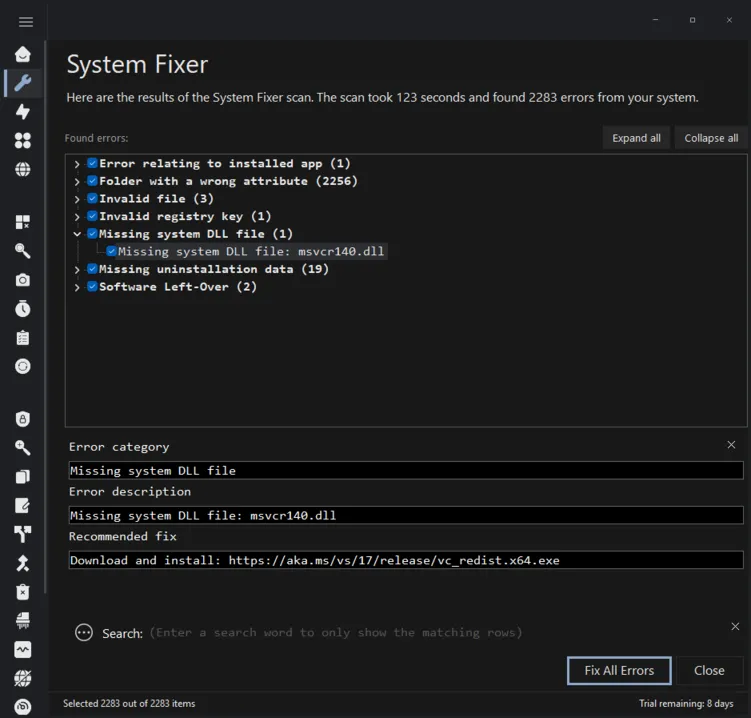
System Fixer

Find and automatically repair common Windows problems, including broken shortcuts, invalid startup entries and invalid system settings that can cause system level problems and crashes.

System Fixer checks for 11 categories of issues, from software leftovers to missing runtime DLLs. Review each finding and its proposed fix before anything is applied.

This is not a magical snake oil product that fixes all problems in your life or even everything in your computer. This is a tool designed to automatically diagnose and fix the most common problems in Windows.

System Cleaner

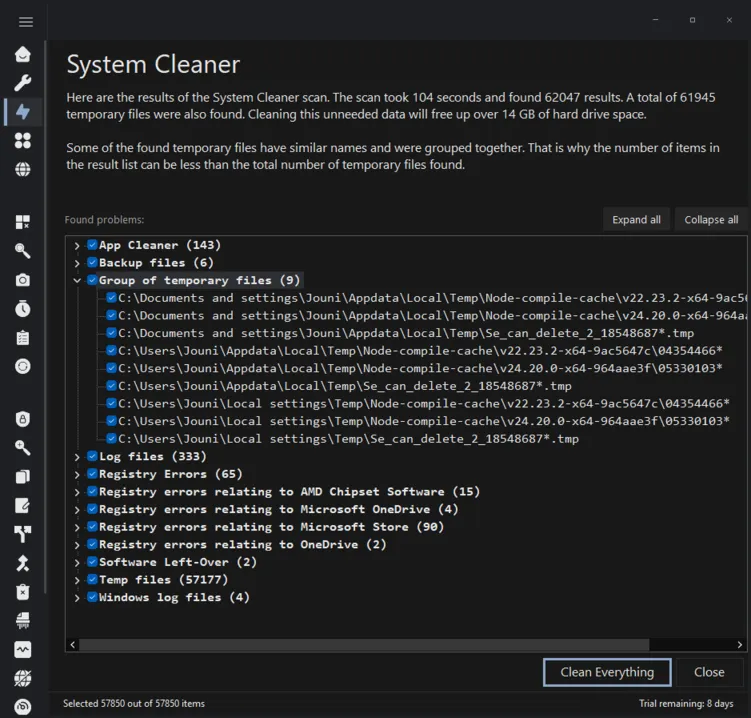
Clear out unneeded files and obsolete registry data to reclaim system resources.

System Cleaner brings its findings together in one scan, including temporary files and leftover data from applications. Review the results and choose what to remove.

While Windows’ built-in Disk Cleanup tool is a good starting point, sometimes you want to get deeper. When you do, System Cleaner is there to help.

App Cleaner

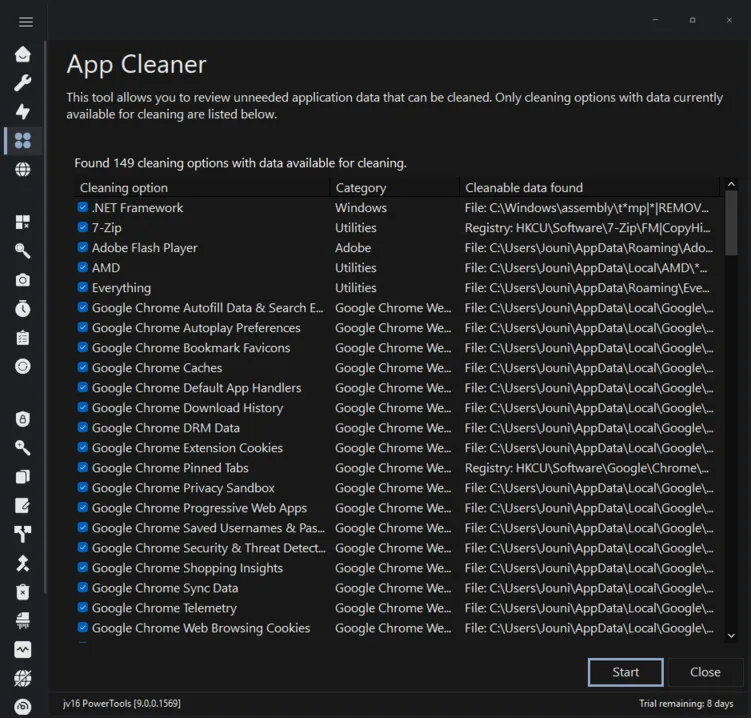
See which applications have unneeded data ready to clean.

App Cleaner lists only the cleaning options with data currently available, so you can focus on what is taking up space. Choose the options you want and clean them in one place.

Ideal for cleaning MRU (Most Recently Used) and other history data, as well as app-specific temporary data.

Or, you can also have the System Cleaner clean all these for you. With jv16 PowerTools, you are in charge.

Browser Cleaner

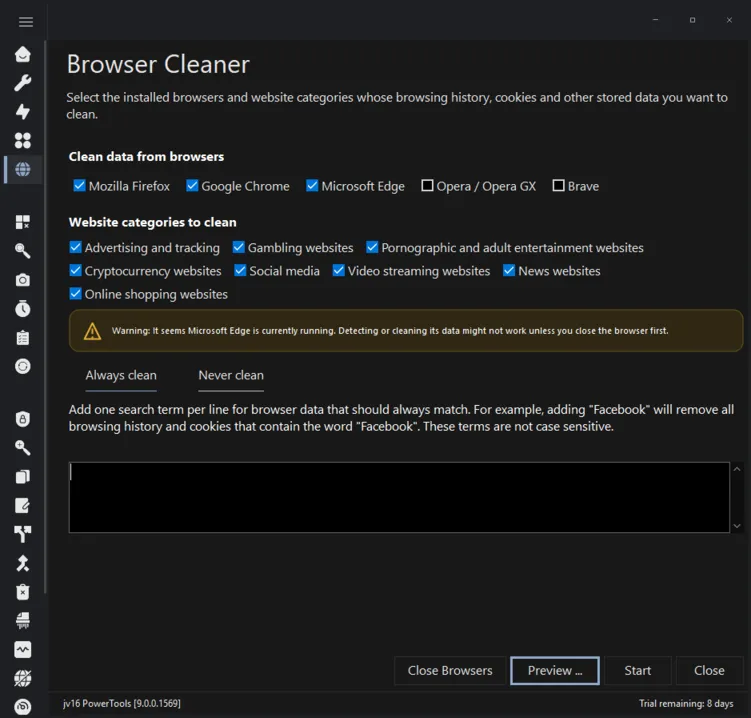
Easily clean unwanted browser data such as browsing history, cookies and other stored data.

See what would be cleaned, and choose what to clean, before anything happens. You can also specify what data to always keep, such as cookies from sites you use frequently.

Fully supports Microsoft Edge, Mozilla Firefox, Google Chrome, Brave, Opera and Opera GX.

Or, you can also have the System Cleaner clean all these for you. It’s your computer. You decide.

Buy today at the version 8 price

$49 $69 the price version 9 launches at
  • Version 9 will arrive this fall. Buy now and you use version 8 straight away, then upgrade to version 9 for free the day it ships.
  • The license is a lifetime license. Every future update and upgrade is included, at no further costs or fees.
Buy jv16 PowerTools for $49

What is changing for version 9

Here are some of the key improvements in the upcoming version.

Fully rebuilt user interface

Everything runs more smoothly and faster, with a more user-friendly interface.

New tool: App Cleaner

App Cleaner allows you to clean history and MRU data of third-party apps and Windows components with app-by-app precision.

New tool: Browser Cleaner

Clean browsing history and cookie data based on your preferences, for example by cleaning all the social media data while keeping your email login details saved.

Greatly improved Software Uninstaller

Removes apps and cleans their traces in one go. It can even uninstall software that Windows can’t remove or that silently installed itself.

Greatly improved Finder

Search for files based on their data, including native support for searching file contents inside PDF, Word and Excel documents and for text inside image files via OCR.

New tool: Launcher

Launcher allows you to quickly access your apps or most commonly used documents and files.

Greatly improved Screenshot tool

Capture screenshots and add annotations to them, edit them and share them with ease.

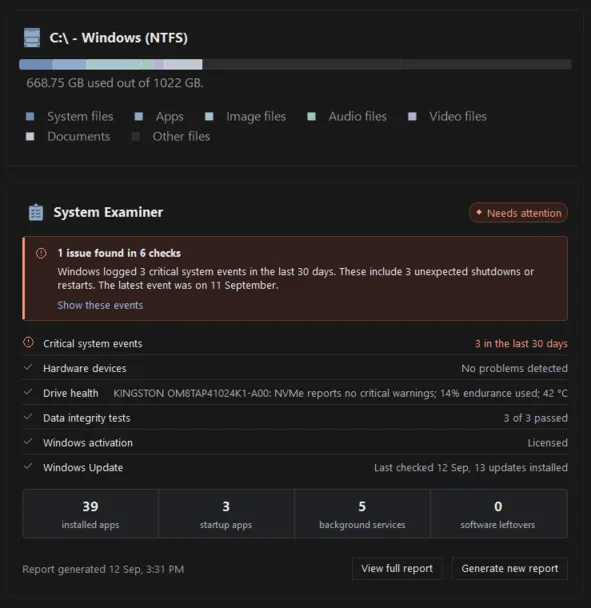
Greatly improved System Examiner

Deeper analysis of your hardware and software and more in-depth results for troubleshooting and diagnostics, with more detailed reports.

New tool: Private File Finder

Allows you to search for files from your system which might contain sensitive information such as your email addresses or credit card numbers.

And a lot more!

The Standalone Tools

Open these dedicated tools from jv16 PowerTools to remove software, find data, investigate your PC or capture what is on screen.

Software Uninstaller

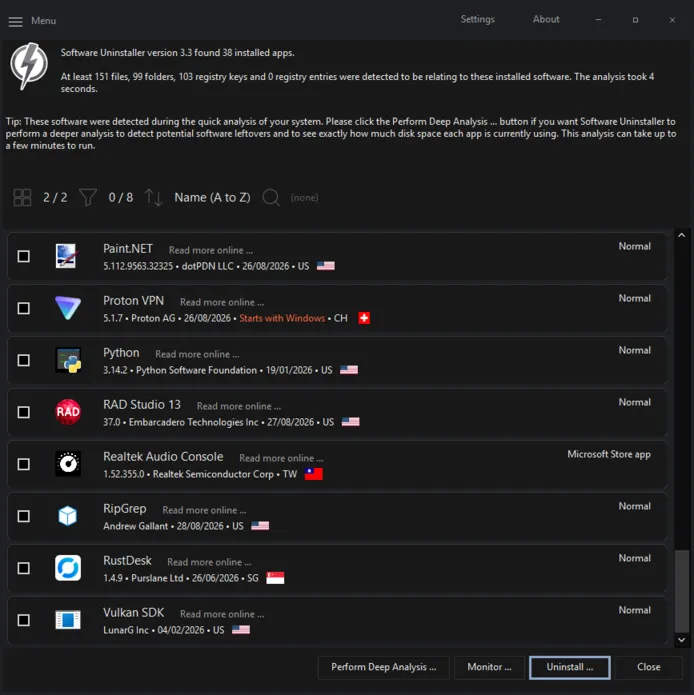
See exactly what is installed on your PC and find leftover traces of software you thought you had already removed.

See in-depth information about your installed apps, such as publisher and the country of origin.

Choose the programs you no longer need and uninstall them from one place. Supports unattended, batch uninstallation of software.

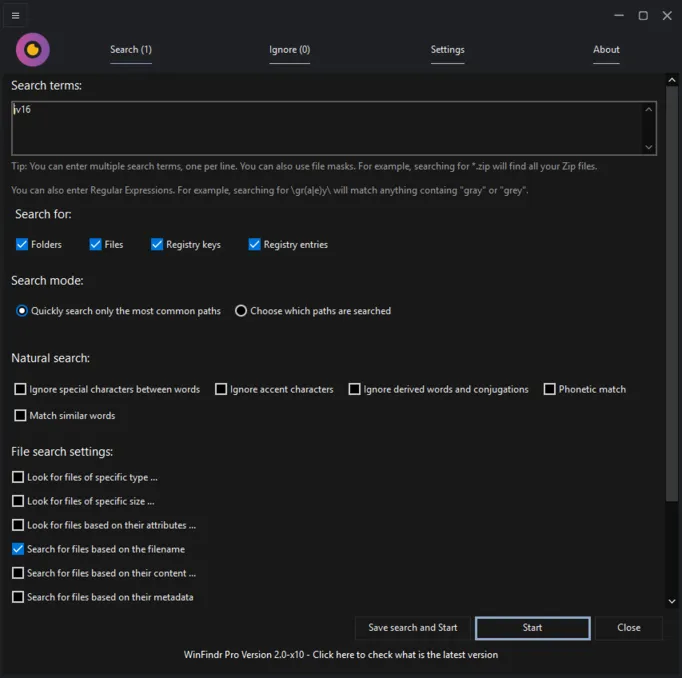
Finder

Search for files, folders, registry keys and registry entries from one tool. Enter what you are looking for and choose which types of data to search.

Supports searching inside file contents, including PDF files, Word and Excel documents and for text inside image files via OCR.

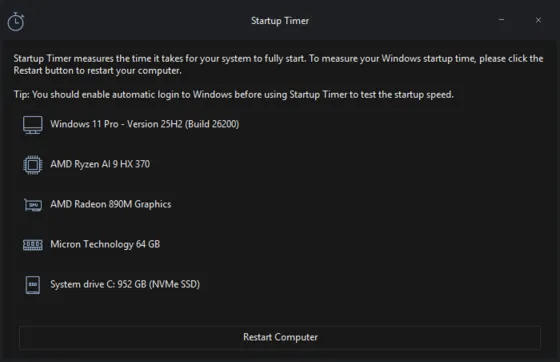
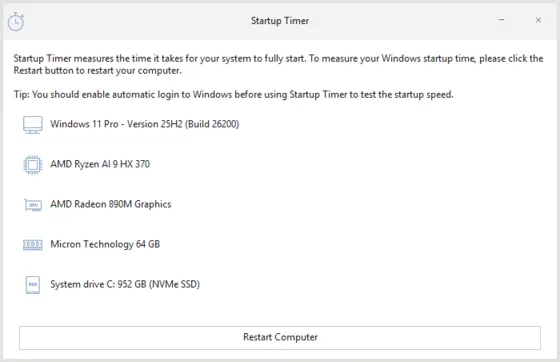
Startup Timer

Measure how long your PC takes to fully start and see which applications slow down the process most.

Startup Timer helps you identify where the wait is coming from. Measure again after changing your startup apps to see whether your changes helped.

jv16 PowerTools 9 Startup Timer screenshot jv16 PowerTools 9 Startup Timer screenshot

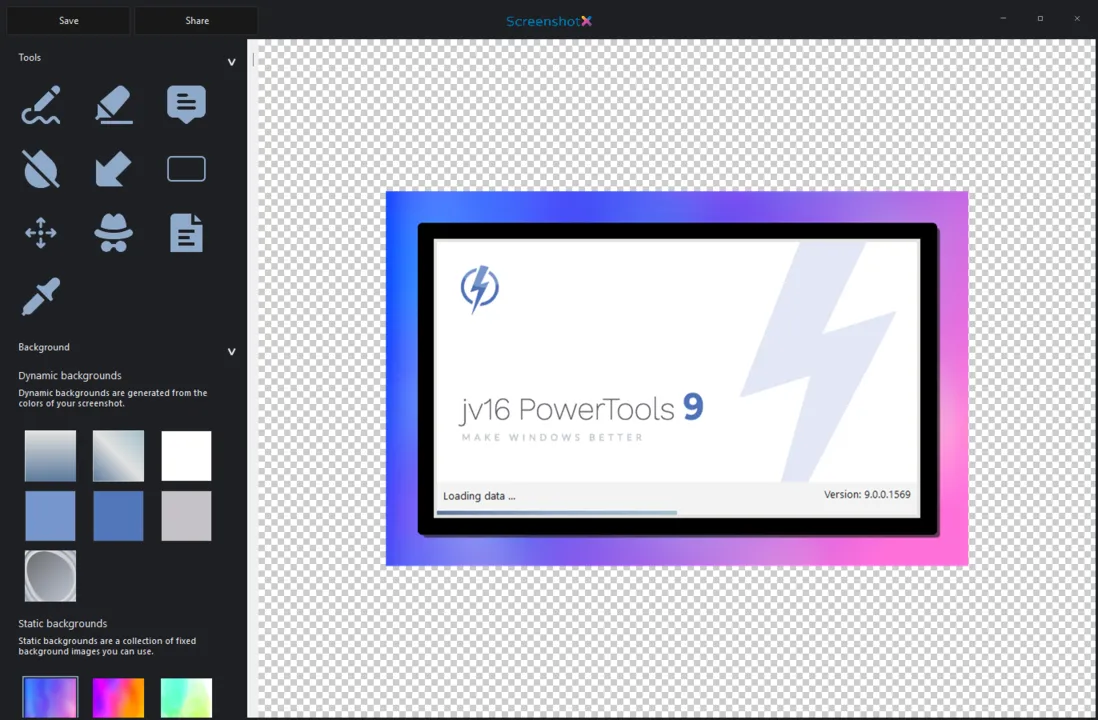
Screenshot

Capture what is on your screen when you need to show a problem, explain a step or keep a visual record.

Add effects, arrows and text to the screenshots with ease.

Supports redacting sensitive information such as email addresses and credit card data from the screenshots.

Upload and share your screenshot with one click. No accounts required.

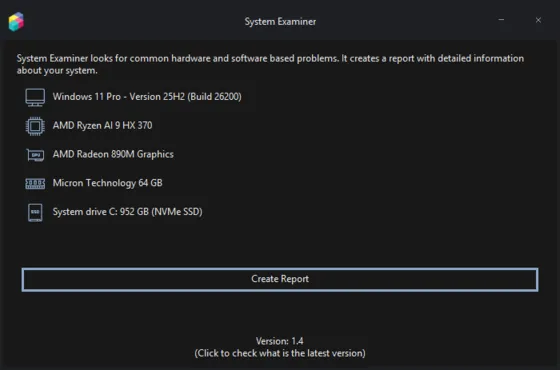
System Examiner

Generate a report of your PC’s hardware and software in one place. Use it to check system details when planning an upgrade or investigating a problem.

Upload and share your report with one click. No accounts required.

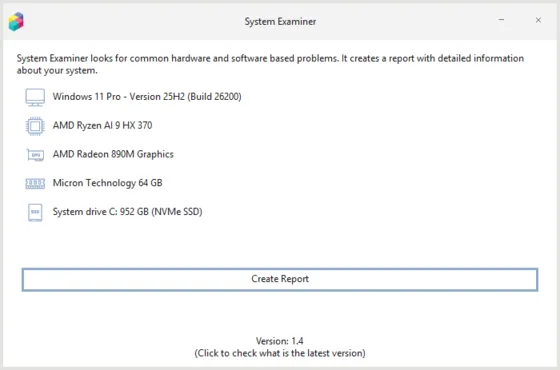
jv16 PowerTools 9 System Examiner screenshot jv16 PowerTools 9 System Examiner screenshot

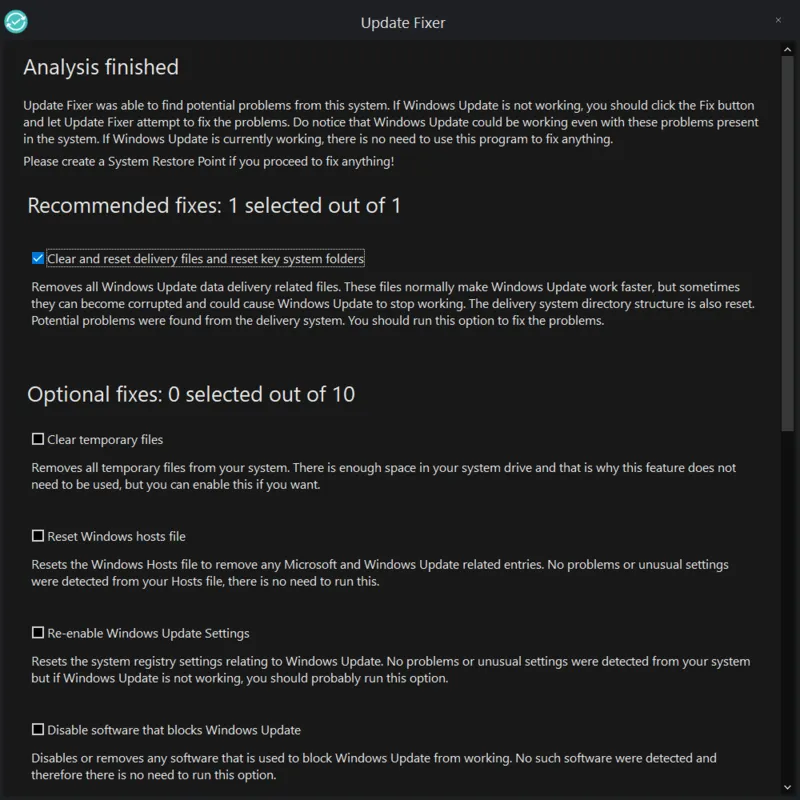
Windows Update Fixer

Repair problems that prevent Windows Update from working correctly. Use Windows Update Fixer when the Windows Update Troubleshooter fails to fix it.

Have it your way

We have built this software for you - not for us. That’s why it comes with several options to make it your own. For example, the main user interface is available in both light and dark modes.

The Light Mode also looks pretty good, don’t you think?

If you already own version 8

Lifetime means lifetime

Every jv16 PowerTools license is a lifetime license, so your version 8 key unlocks version 9 at no cost. Nothing to buy again and no subscriptions. And every lifetime license ever sold is still honored.

Both can be installed

Version 9 can be installed alongside version 8, so you can go back at any point. Uninstall the older one whenever you are ready.

Optimized for Windows 11 and 64 bits

Version 9 will be available as a 64-bit application, still lightweight and with built-in support for 26 translations.

Windows 10 is still supported

Version 9 runs on Windows 10 22H2 and Windows 11. Support for Windows 10 continues for the lifetime of the version 9 series.

Still $49 until version 9 ships. What are you waiting for?

Version 9 will be released this fall. If you buy now, you can use version 8 today, upgrade free when 9 arrives. A lifetime license - all future updates and upgrades for free.

$69 $49 Buy now